
TinMan AI Builder Professional V1.22
TinMan Professional Version:
The TinMan AI Builder is an integrated development platform and runtime SDK for creating and deploying autonomous artificial intelligence based on neural networks. Fully abstracting the theoretical and mathematical tedium associated with neural networks, the IDE fully harnesses the human-like behavior modeling possible with this best-approach biological
metaphor.
TinMan AI Builder's IDE (integrated development
environment) provides a complete suite of
break-through, user-friendly tools to Design, Train, Simulate and Package an
artificial intelligence engine for deployment in a host application.
TinMan AI Builder's visual design approach makes it extremely easy
to rapidly assemble complex human thought patterns.
|
|
Types of host applications may be: Computer Games,
Industrial Process Automation and Monitoring, Robotics projects and autonomous behavior, Medical diagnostics/therapy
recommendations, Customer analysis and prediction,
Law Enforcement / Criminal analysis, Banking / investment / Fraud analysis and prevention,
Military / Defense and unmanned vehicle applications, Aviation and Flight simulation,
Mining and Mineral Analysis, and any other target
application that requires an AI engine
for making decisions based on a dynamic stream of data.
|
The
process of building an AI engine is simple: Design (visually construct), Train (embed knowledge),
Simulate(test) and Package(export). The IDE allows you to design
virtually any form of intelligence engine and then integrate with a
simple class library into your application. Even though it is easy to
use our AI builder, we can do it
for you. If we build it for you, we simply get your
specifications for the desired AI functionality, design and provide the resulting
AI engine and runtime. We even can develop the host application (or test
harness) for you. Ask any questions directly by sending email to
support.
NEW: Cloud
Based AI now available via professional services.
Click Here for Info
TinMan has
custom add-on functionality and service components for
image/pattern recognition,
behavioral analysis and
natural language processing. For more information on
these extensions, please contact
us here.
Overview of the key steps to designing
and deploying an AI system:
| Design - Layout the Structure of the AI
System |
TinMan AI Builder and Integrated Development Environment
[IDE] provides a best-of-breed combination of several forms of logic, improving flexibility, accuracy and reliability
of the AI systems produced.
The IDE allows the creation of AI systems through familiar drag
and drop operation for the Inputs to a system, the outputs from a
system and the logical components that provide the decision-making linkage
between the inputs and outputs. The AI systems produced
with TinMan AI Builder can receive input from many
inputs simultaneously, and accurately produce and manage
many output actions simultaneously. The models
themselves can be interconnected, allowing both finite
(single/exclusive) and multi-state management
(simultaneous state execution) with near limitless depth
and breadth.
|
| Train - Embed Expert Knowledge into the AI System
|
|
TinMan AI Builder provides
extremely fast and effective training of its logical models
based on highly optimized algorithms. After a TinMan state
model is added to the AI system, and given its desired
inputs and outputs, it is ready to be trained. Training
involves the presentment of a set of anticipated scenarios
along with their respective desired outputs to the model.
TinMan conveniently and automatically produces possible
input sets. This knowledge is retained through the
mathematical adjustment of the relationships among model
elements and their connections within the model to produce
all desired outcomes across all scenarios.
|
|
Simulate - Test the AI System through Simulation
|
|
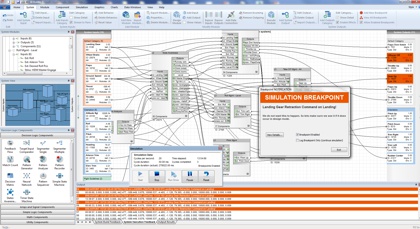
Simulation in TinMan AI Builder
is possible once the AI system is constructed and the models have been
trained. Simulation is an important step in ensuring the AI system
is performing the way it is designed to, and all models are responding to their
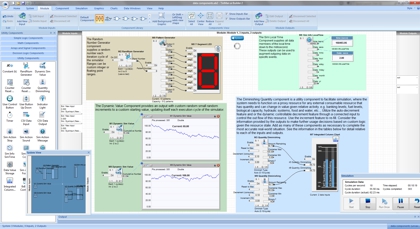
respective scenarios as instructed. During simulation, the AI System visually
displays status of variables, status of all logical models, and currently
selected outputs. The effectiveness of simulation is significantly enhanced through the use of
several IDE simulation features, such as integrated action-specific sound, dynamic
variables, integrated input controllers, live-wire view of active
connections, breakpoints and others.
|
|
Package - Produce the Runtime AI System
|
|
When you have finished designing,
training and simulating the AI System, the system must now be put in its
final form for runtime access in the host application. This process is
referred to as Packaging. When packaging a system, the TinMan Packaging
Wizard will step through the process, and ensure that all models
throughout the new AI system are connected and trained. TinMan will also
strip out all unnecessary elements, such as project items, visual
elements and lengthy text descriptors and leaves just the physical AI
systems and its described interfaces to inputs and outputs. Thus,
size is reduced and speed is enhanced in the process. This file is now
capable of being read by the runtime libraries, and thus utilized by the
host application through simple class library functions for loading and
executing.
|
TinMan AI Builder Screenshot Gallery
(click on the picture to expand)
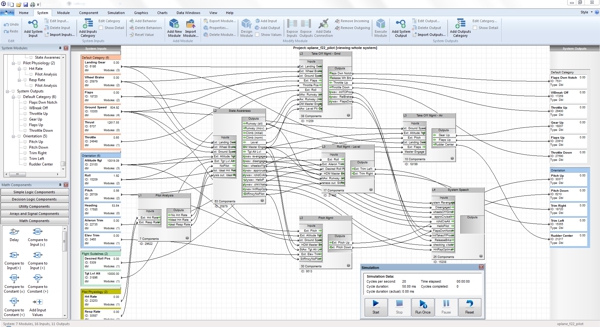
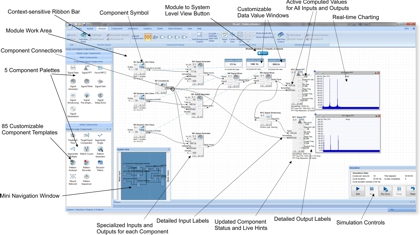
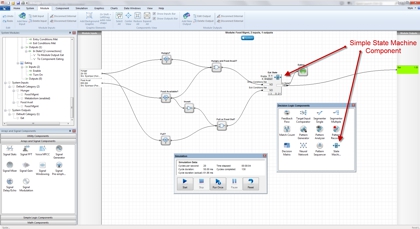
Work at the Model Level for Rapid Design of Complex AI Systems
Assembling an AI system is done while working at the
model level. By dragging and dropping selected neural
model types, and then connecting them together, a logic
flow and associated feed of input data is achieved
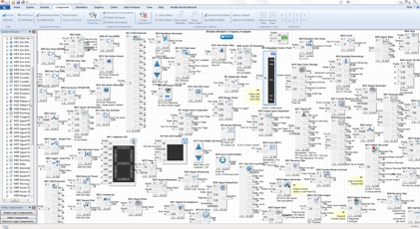
Behavior trees and their associated inputs and outputs
are extremely straight forward to assemble - leaving a
model structure that closely resembles how you might
approach a situation. Simultaneous or exclusive
behaviors / states are simple to create.
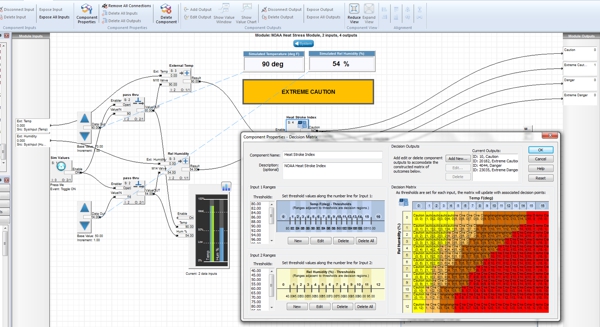
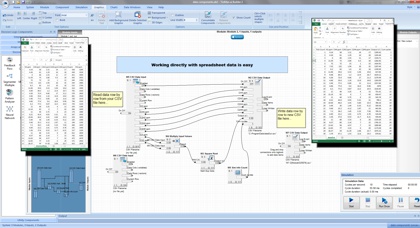
Embed Knowledge for each Model Instantly, and
Retrain at Any Time
The integrated scenarios worksheet is shows each of the
possible scenarios for a given state model, assigning
new outcomes is as easy as right click and assign by
click operations. Color coded values assist visual
context quickly.
|
|
|
|